Page 1 of 1
Diagonal lines
Posted: Sun Feb 16, 2020 8:02 pm
by elewayne
When I draw any diagonal line it comes out segmented. Do they always stay that way? Or is there a way to make them come out straight. I assume they print straight.right? (I'm out of ink a the moment)
Re: Diagonal lines
Posted: Sun Feb 16, 2020 8:54 pm
by Husky
elewayne wrote: ↑Sun Feb 16, 2020 8:02 pm
When I draw any diagonal line it comes out segmented.
What do you mean with diagonal line? A horizontal or vertical line isn't segmented?
elewayne wrote: ↑Sun Feb 16, 2020 8:02 pm
Or is there a way to make them come out straight.
How is the Linetype controlled? With layers? Is the chosen line type "Continuous" used?
What is your Operation System / QCAD version?
Re: Diagonal lines
Posted: Sun Feb 16, 2020 9:20 pm
by CVH
We call that pixelated.
Try View/ Anti-aliasing (NT)
Yes they print fine: A printer has a far better resolution or dpi as a screen does.
Regards,
CVH
Re: Diagonal lines
Posted: Mon Feb 17, 2020 5:06 pm
by RandallG
So that your drawing shows your horizontal and vertical lines perfectly straight, you can also turn on the "Restrict Orthogonal" button.

- ortho button.jpg (2.74 KiB) Viewed 10935 times
This forces the lines you draw to be placed in true horizontal or vertical only positions.
In addition, it's also a good idea to use the grid and snap feature. I usually set my grid & snap to .1 but they can be what ever you like.
This insures that all your lines and objects will line up correctly to each other and enforce a more predictable positioning of all the drawing
entities. (e.g. lines, text, boxes, circles, etc)
Re: Diagonal lines
Posted: Tue Feb 18, 2020 6:43 am
by elewayne
Yes, OK Pixelated, sorry. Can you get them to be a solid line? Autocad will. not sure on this program.
Re: Diagonal lines
Posted: Tue Feb 18, 2020 6:45 am
by elewayne
Where is the ortho button located? I don't see one on my screen. Very good to have handy.
Re: Diagonal lines
Posted: Tue Feb 18, 2020 6:59 am
by Husky
May I ask you again:
Husky wrote: ↑Sun Feb 16, 2020 8:54 pm
What is your Operation System / QCAD version?
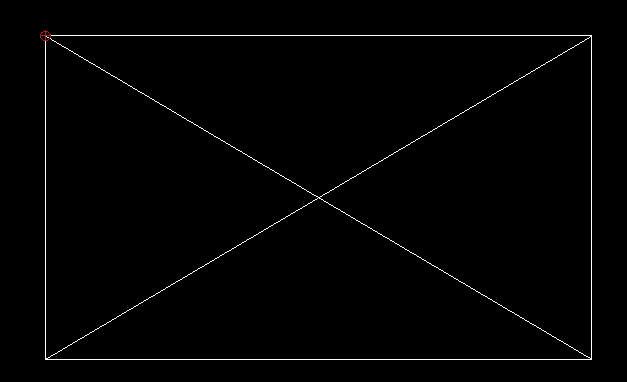
This is the worsted setting/display what I can think of on my system. Is that similar to your issue?
- Husky-2020.02.17-01.png (4 KiB) Viewed 10896 times
If not please post a screenshot and the dxf/dwg file. Thanks.
elewayne wrote: ↑Tue Feb 18, 2020 6:45 am
Where is the ortho button located? I don't see one on my screen. Very good to have handy.
The Snap menu has tools to restrict horizontal;, vertical and orthogonal. The Alt key on your keyboard will restrict directin in combination with certain tools too.
Re: Diagonal lines
Posted: Tue Feb 18, 2020 8:16 am
by CVH
elewayne wrote: ↑Tue Feb 18, 2020 6:43 am
Yes, OK Pixelated, sorry. Can you get them to be a solid line? Autocad will. not sure on this program.
In the case continuous lines look a bit jagged:
No soft can beat the pixels.
The difference is:
If you zoom in on a pixelated picture, you get large squares with the same color.
There is no information on what it in between.
In CAD soft you are looking at the representation of a vector.
The best that your system can produce.
Zooming on vectors will not blow up pixels but gives you another representation.
Did you try View/ Anti-aliasing (NT).
So the look is smoother on a screen.
But it also is more demanding on your system.
Also look up the minimum system requirements.
https://qcad.org/en/faq
A to low resolution is not a good idea.
In the case lines are interupted by spaces:
Select the continuous line type
In other cases:
We need a screen grab and the dxf
Regards,
CVH
Re: Diagonal lines
Posted: Wed Feb 19, 2020 7:54 pm
by elewayne
I'm running windows 10, on a fairly new Dell computer, I don't know which processor. Well within requirements. Qcad professional version, I think
I drew a table console and tapered the legs and the taper lines come out with, (in real size), quarter inch lines offsetting the one above or below it,all the way down. So instead of one line I get 10 lines off setting each other, Of course that change with the amount enlargement. No big deal, I just thought is should present as straight somehow. I drew the angle line using the point to point command snapping on both ends.
Re: Diagonal lines
Posted: Wed Feb 19, 2020 8:56 pm
by CVH
You are still keeping it very vague....
We can't even try this for real.
0.5 degree from straight looks somewhat jagged BUT.
If we would zoom in it will never be an inch or a quarter inch staircase.
Regards.
CVH