Post
by Husky » Tue Mar 26, 2019 1:06 am
ssobol wrote: ↑Mon Mar 25, 2019 10:49 pm
I expect to be able to see a layer on the screen but be able to set it so that it will not print.
Correct and you can't see them in "Print Preview.
You will find the settings for "Plottable" in the Layer Dialog (New- or Edit Layer).
Below "Application Preferences" is the possibility given to make the "Plottable column" visible in the Layer List ...
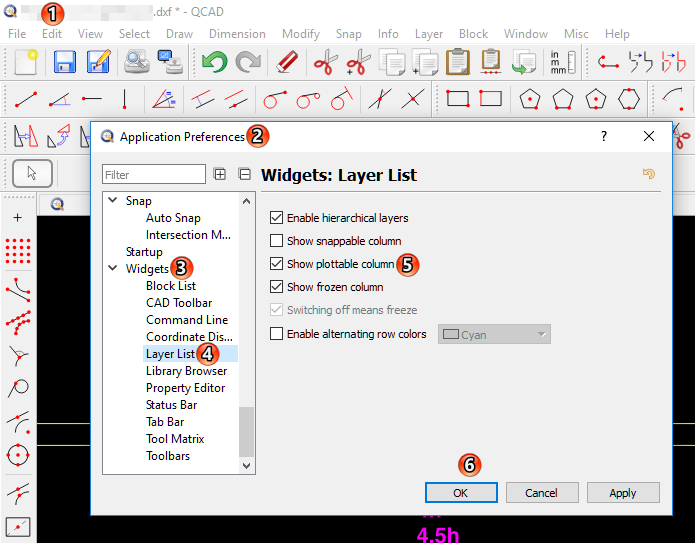
- Husky-2019.03.25-01.png (75.92 KiB) Viewed 12482 times
... and it will look like this:
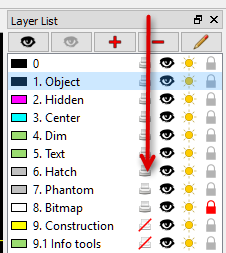
- Husky-2019.03.25-03.png (16.73 KiB) Viewed 12482 times
Work smart, not hard: QCad Pro
QcadPro, QcadCam, Win11/64, 64GB RAM, 10-Core, SSD
If a thread is considered as "solved" pls. change the title of the 1. post to "[solved] Title..."


